Bulin 47 AI Trend Video Maker
Do the Bulin 47 AI trend without filming anything. Upload one photo, check a free preview of you freestyling at the red-lit doorway, then turn it into a vertical 10-second video with no watermark.
For the best result
- One person per photo, facing the camera
- Face clear and well lit, no sunglasses or hats
- Head to waist works best so the outfit can change
- No mirror selfies or phone in hand
Sign up free. Your first previews are on the house.
AI-generated example: every frame, people included, was made by AI from a fictional selfie. It is not footage from the original freestyle.
Videos are silent. Add the trending sound in TikTok or Reels when you post.
Prepare a photo for the freestyle
Start with a clear, well-lit photo of one adult facing the camera. The template supplies the red-lit doorway, the crowd, the speaker and a pink mesh shirt, so a normal portrait works better than a dressed-up photo where your face is small.
The video is vertical and close, so your face fills a lot of the frame. A head-to-chest photo without sunglasses gives the AI the most to work with while you rap, point and dance.
- Choose an unobstructed face without sunglasses, a hat or a phone in front of it.
- Avoid heavy beauty filters and group photos with several possible subjects.
- Only upload yourself or adults who agreed to appear in the video.
From one photo to the Bulin 47 freestyle
Sign in, add your photo and confirm you have permission to use it. In about 20 seconds you get a free preview still of you at the doorway. If the face is not right, try another photo before spending anything.
When the preview looks good, use one credit to animate it. The video is one handheld phone take: the first bar, a point at the speaker, a hand on your heart, a groove to the beat and a hands-up laugh at the end.
- Upload: your photo, plus an optional friend.
- Preview: check the AI still for free.
- Generate: turn it into a vertical 10-second, 720p video.
- Download: save the MP4, then add the sound in your app.
Bring a friend to hype you up
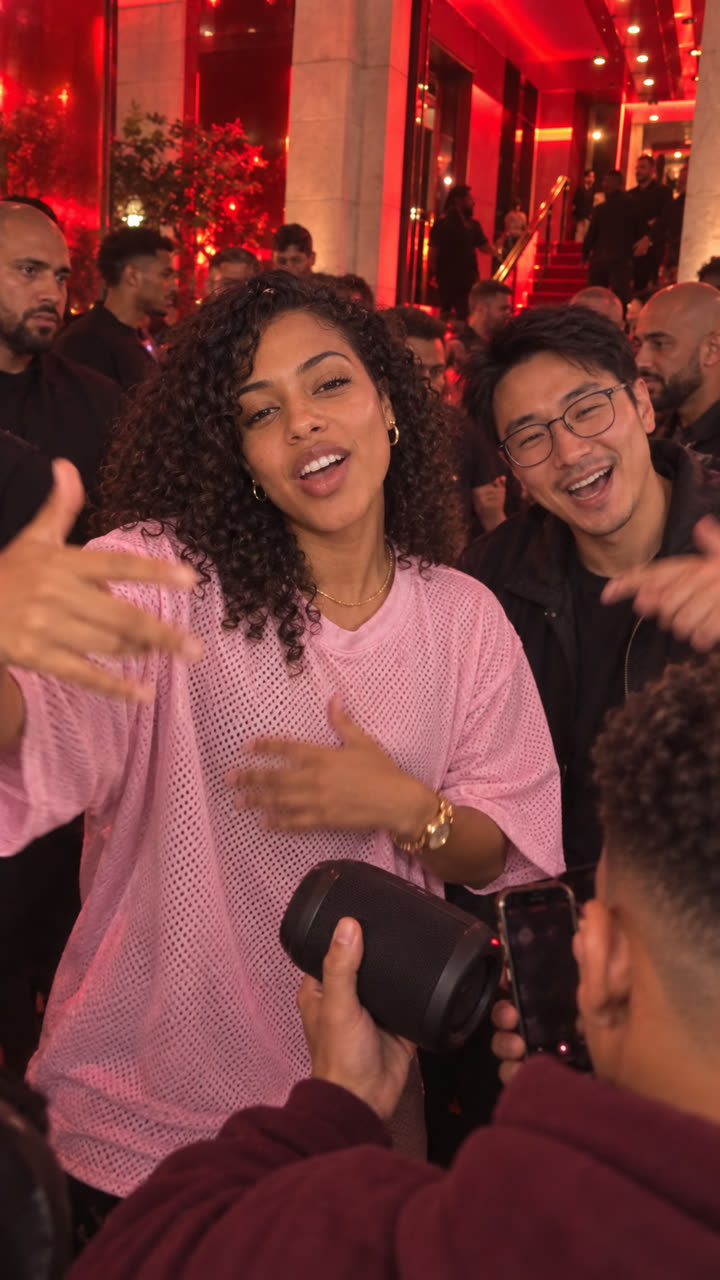
The trend is funnier with your own crew. Add a second photo and your friend appears right beside you, laughing and hyping you up while you freestyle.
Each person should be in their own clear photo. Check both faces in the preview before you make the video, and make sure everyone in it agreed to be posted.
Add the freestyle audio and post it
Your MP4 is silent on purpose. In TikTok, tap Add sound, search “bulin 47 freestyle” and start the sound from the beginning. The video is already 9:16, so it fills the screen without cropping. Turn on the AI-generated content label when you post.
IntoTheMeme is an independent AI tool and is not affiliated with Bulin 47 or Kevin Wai. Your video is a personal remake of a public trend, not the original clip.
Learn what happens in the original Bulin 47 videoFAQ
Bulin 47 AI Trend Video Maker: FAQ
Explore the trend