How to Make a Meme Video from a Photo
Choose a meme scene, check the photo requirements and preview your result before making a 10-second video. See credit prices and how to add music.
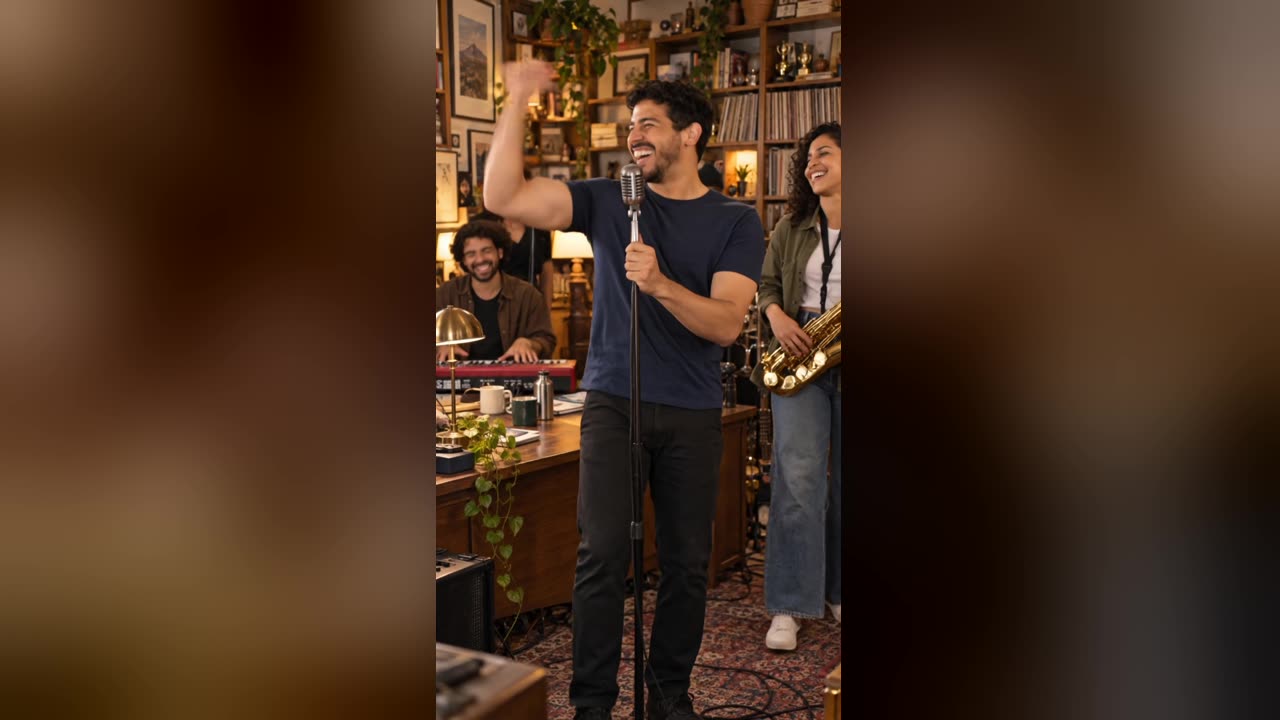
To make a meme video from a photo on IntoTheMeme, choose a scene, sign in and buy credits, then upload your photo and check a preview still. When the preview looks right, use one credit to generate a 10-second, 720p video without a watermark. The download is silent; add music in your publishing app if that sound is available for your account and region.
Choose the scene you want to appear in
These are different templates within IntoTheMeme. Each linked page shows an AI example, photo tips and the meme's background.
| The scene you want | Template | Video shape |
|---|---|---|
| A miniature office concert with a singer and band | Tiny Desk AI | Vertical, 9:16 |
| The Rumpelstiltskin barn dance | Tip Toe In My Jordans | Landscape, 16:9 |
| A chandelier party inspired by Drake's video | Burning Bridges AI | Landscape, 16:9 |
| A freestyle at a red-lit restaurant doorway | Bulin 47 AI | Vertical, 9:16 |
| A zombie romance | AI zombie trend | Vertical, 9:16 |
| A classic spooky costume transformation | AI Halloween costume | Vertical, 9:16 |
Make the video in five steps
- Open a template and watch its example. Check the framing and movements before choosing it. The examples use fictional people and show the kind of scene the template produces.
- Sign in and choose a credit pack. Credits are required before uploading photos or generating previews. You can browse the guides and examples without purchasing.
- Upload a clear photo. Use a well-lit face without sunglasses or heavy obstructions. Follow the template's photo labels if adding a second person, and use photos you have permission to upload.
- Check the preview still. Look at the face, placement and any second person. With an available video credit, your pack includes up to 20 preview stills per rolling 24 hours. A preview is an image, not the finished video.
- Generate and download. One video uses one credit. Review the result, download it, then add an available sound and caption in TikTok, Reels or your editor.
AI can change facial details and motion. A preview helps you check the starting image; it does not guarantee every frame will look identical.
How much does a photo-to-meme video cost?
The standard one-time packs below were checked on November 1, 2026. The pricing page shows current packs; checkout confirms any eligible promotion and the final total.
| Pack | Video credits | Standard price (USD) |
|---|---|---|
| Starter | 1 | $4.99 |
| Party Pack | 5 | $14.99 |
| Legend | 15 | $34.99 |
There is no free video generation offer here. The included previews require an available video credit; buying a pack is the first creation step.
Does the video include the trending song?
No. IntoTheMeme generates silent video. For example, the Tiny Desk page suggests searching for “outstanding tiny desk” when adding a sound. Availability and permission depend on the platform, region and account; generating a video does not grant rights to a song or the original concert footage.
Can ChatGPT help me choose a template?
Yes: share this guide or a specific template URL and ask it to compare the scenes, photo requirements and current credit prices. For example: “Read this guide and help me choose a vertical meme video for two people. Check the price and whether music is included.”
Our public assistant tools can search and read these guides. Uploading your photos, approving payment and generating the video happen on the website. A ChatGPT recommendation alone does not create a video or purchase credits.
Ready to try a scene?
Open the Tiny Desk AI video generator for an office concert, or browse all meme templates to choose another setting. Read the privacy policy before uploading, and use contact support for account or generation questions.